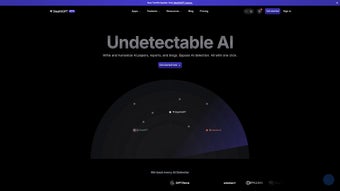

Download StealthGPT – Undetectable AI Writing Assistant for Students & Professionals
Overview
StealthGPT is a web‑based AI writing assistant built specifically to produce content that feels completely human and slips past the most common AI‑detection tools. Tailored for both students and working professionals, the platform offers two subscription tiers – College and College Pro – that balance word limits, prompt length, and response depth. With each use you can generate up to 1,125 words and feed the engine a custom prompt of up to 45 words, making it ideal for essays, research reports, blog articles, and any other text‑heavy task where originality and discretion matter. Because the service runs entirely in the browser, there’s no software to install, and all data is processed over a secure HTTPS connection, ensuring privacy while you craft “undetectable” prose. While StealthGPT provides a powerful shortcut for drafting, it also encourages responsible use; users should verify that their institution’s policies permit AI assistance before submitting work produced with the tool.
Key Features
- Human‑like output: Advanced language models are fine‑tuned to mimic natural writing styles, reducing the likelihood of detection by tools such as Turnitin, GPTZero, and Copyleaks.
- Two subscription plans: The College plan delivers up to 1,125 words per session with a 45‑word prompt limit, while the College Pro plan expands the prompt window to 90 words and adds priority processing for faster responses.
- Unlimited revisions: Generated drafts can be refined on‑the‑fly, allowing users to request tone adjustments, length changes, or specific keyword insertions without restarting a new session.
- Privacy‑first architecture: All interactions are encrypted, and no personal data is stored beyond the active session, protecting user anonymity.
- Cross‑platform accessibility: Since StealthGPT runs in any modern browser, it works on Windows, macOS, Linux, Android, and iOS without extra installations.
- Built‑in citation helper: The tool can automatically suggest APA, MLA, or Chicago style citations for sources you provide, streamlining academic workflows.
- Content‑type templates: Choose from pre‑configured outlines for essays, reports, blog posts, or marketing copy, ensuring structural coherence from the first sentence.
Installation & Usage Instructions
Getting Started – No Download Required
Because StealthGPT is a cloud‑based service, you skip the traditional installation steps. Simply open your preferred browser (Chrome, Edge, Firefox, Safari, or any Chromium‑based mobile browser) and navigate to stealthgpt.com. If you already have an account, click “Log In”; otherwise, select “Start Free Trial” to create a new profile. The sign‑up process asks for an email address and a secure password, after which you’ll receive a verification link to activate your account.
Creating Your First Draft
- Select a plan: Choose between College or College Pro based on the word count and prompt length you anticipate needing.
- Enter your prompt: Type up to 45 (or 90 for Pro) words describing the assignment. Include specifics such as target audience, required tone, and any key points you want covered.
- Set output preferences: Use the side panel to pick a writing style (academic, conversational, technical), desired length, and whether you want bullet points or paragraph format.
- Generate: Hit the “Produce” button. Within seconds, StealthGPT returns a draft that you can edit directly in the on‑screen editor.
- Refine & export: Apply the “Regenerate” or “Adjust Tone” options if needed. When satisfied, click “Download” to save the text as a .docx, .pdf, or plain .txt file.
Best Practices for Undetectable Content
While StealthGPT does a remarkable job of emulating human writing, you can boost authenticity by:
- Adding personal anecdotes or unique examples that only you could know.
- Manually tweaking sentence structure to avoid overly uniform patterns.
- Running the final draft through a plagiarism checker to ensure no accidental copying.
- Incorporating varied vocabulary and occasional colloquial phrases where appropriate.
Following these steps not only enhances the readability of your work but also further reduces the risk of detection by AI‑spotting algorithms.
Compatibility, Pros & Cons
StealthGPT runs on any device with a modern web browser, including Windows 10/11, macOS 12+, Linux distributions, Android 8+, and iOS 13+. Because the service is cloud‑based, performance depends on internet speed rather than local hardware.
Pros
- Generates high‑quality, human‑like text that passes most AI detection tools.
- No software download or installation required; works instantly in the browser.
- Two pricing tiers allow users to select the level of capability they need.
- Strong privacy safeguards – data is encrypted and not retained after the session.
- Built‑in citation and template tools speed up academic writing.
- Responsive support and regular model updates keep the AI current.
Cons
- Reliance on an internet connection; offline use is not possible.
- Subscription cost may be prohibitive for some students on a tight budget.
- Prompt length is limited (45/90 words), which can restrict highly detailed instructions.
- While detection rates are low, no tool can guarantee 100 % undetectability.
- Some institutions may consider any AI‑generated content a violation of policy.
Frequently Asked Questions
Is StealthGPT really undetectable by AI detectors?
StealthGPT uses a fine‑tuned language model that mimics human idiosyncrasies, making its output pass most mainstream AI‑detection tools such as GPTZero, Originality.ai, and Turnitin’s AI‑check. However, detection algorithms evolve constantly, so absolute guarantees cannot be made.
Do I need to install any plugins or extensions?
No. StealthGPT runs entirely in your web browser. Simply visit the website, log in, and start generating content. This eliminates the need for downloads, system permissions, or background services.
Can I use StealthGPT for commercial projects?
Yes. The College Pro plan includes a commercial‑use license, allowing you to incorporate generated text into marketing copy, client reports, or blog posts without additional fees.
How is my data protected?
All communications between your browser and StealthGPT’s servers are encrypted with TLS 1.3. Sessions are not stored permanently; once you close the browser tab, the generated content is removed from the server, preserving privacy.
What payment options are accepted for the subscription?
Both plans can be paid with major credit cards (Visa, MasterCard, American Express) or PayPal. Annual billing offers a 15 % discount compared to month‑to‑month pricing.
Final Verdict & Call‑to‑Action
StealthGPT fills a niche that many AI writers ignore: the need for content that looks and feels genuinely human while staying under the radar of detection software. Its browser‑only design means you can start writing instantly on any device, and the built‑in citation helper and templates make it especially valuable for academic work. While the subscription cost and internet dependency are valid considerations, the productivity boost and peace of mind offered by an undetectable AI assistant often outweigh these drawbacks. If you’re a student aiming to polish essays without triggering plagiarism alarms, or a marketer looking for fast, authentic copy, StealthGPT is worth a trial.
Ready to experience undetectable AI writing? Start your free trial today and see how effortless high‑quality content can become.



.png)



